


Connect your Odoo company
Enter your Odoo URL, database name, version and API key. Choose the company you want to connect.


Connect Odoo to Interparcel to import ready sales deliveries, compare couriers, print labels and return tracking from one free shipping workspace.

 Store connected
A faster route from sale to shipment
Connect your Odoo company, prepare your deliveries and bring them into Shipping Manager.
Enter your Odoo URL, database name, version and API key. Choose the company you want to connect.
Use Import Orders in Shipping Manager to bring in ready outbound sales deliveries without an existing tracking reference.
Compare services, book your parcels and print labels. Enable automatic updates to return Interparcel tracking and validate eligible complete deliveries in Odoo.
Built for Odoo users
Connect your Odoo database and company with an API key, then manage ready sales deliveries in Shipping Manager.
Built for busy Odoo teams
Give each Odoo order the right balance of cost, speed and support, whether it is heading across town or further afield.
Shipping Manager is free for Interparcel customers, with no subscription or per-order platform fees.
£0Bring ready sales deliveries from your connected Odoo company into one queue for address checks, parcel details and courier selection.
Send Interparcel tracking back and validate eligible complete deliveries when automatic despatch updates are enabled.
When you need a hand, speak with our experienced UK-based customer service team by phone, email or live chat.
One connection, more capability
Practical tools for importing sales deliveries, preparing parcels and managing your daily Odoo shipping.
Import delivery addresses, products, quantities, values, weights and notes from ready outbound sales deliveries.
Connect your default Odoo company or specify another company the API user can access.
Compare courier prices and service options, then choose a suitable delivery for each order.
Book multiple parcels and print labels together to keep busy dispatch days moving.
Use Rule Manager to apply delivery preferences based on your own shipping criteria.
Return Interparcel tracking and validate eligible complete deliveries, using a compatible Odoo shipping method.
Use Smart Boxing to plan how items from the same Odoo order fit into your saved box sizes. Where product weights and dimensions are available from your Interparcel inventory, it can suggest a parcel combination before you book. Review the recommendation and parcel details before confirming.
Advanced Shipping Manager
Keep imported order details, address checks, courier options and labels together so your team can prepare deliveries with fewer repeated steps.
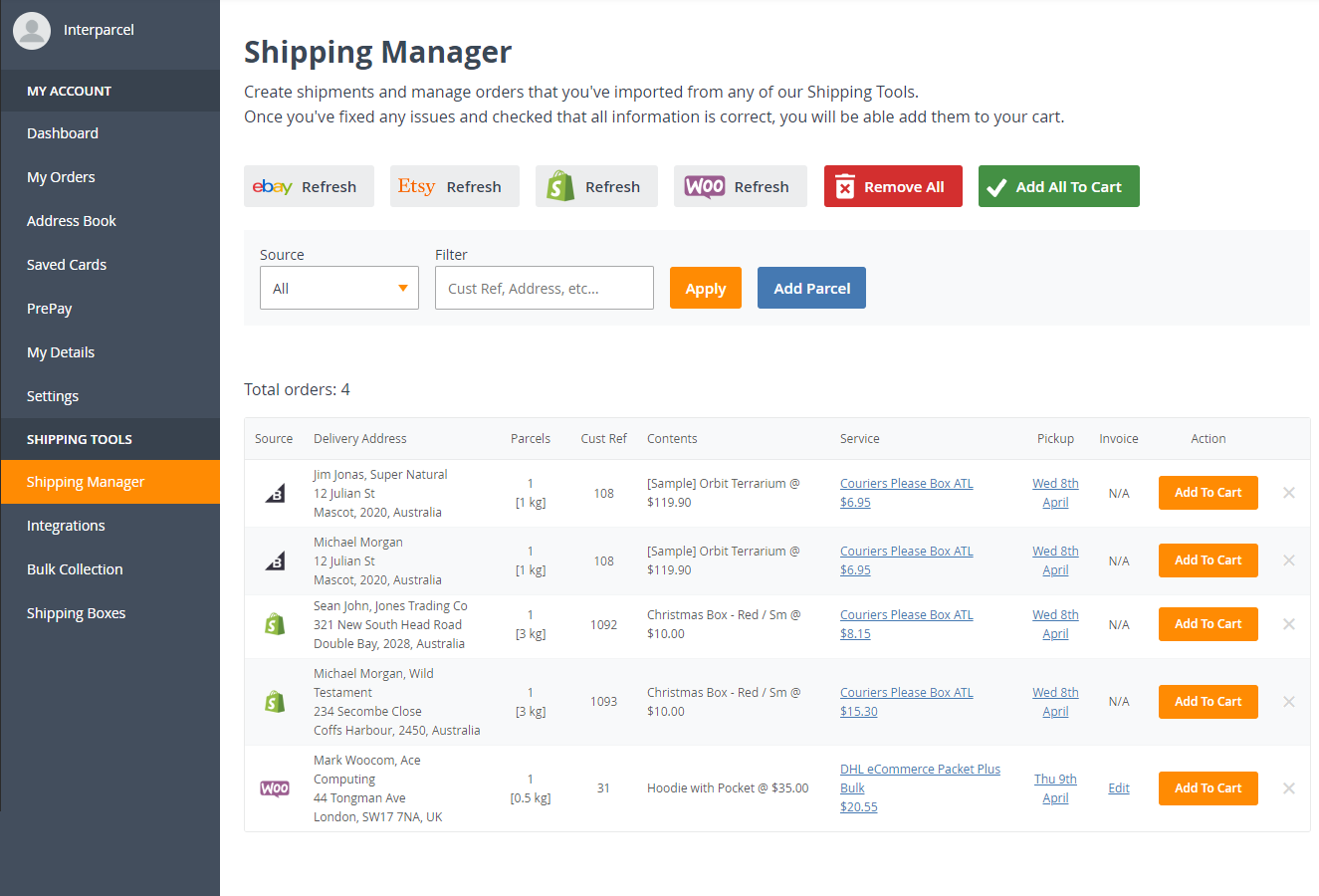
More delivery choice
Compare delivery options for your Odoo orders and choose a service that suits each parcel, destination and delivery promise.




















Odoo shipping FAQ
Find out how to connect Odoo, import ready deliveries and return tracking after booking.
Contact usIt connects your Odoo company to Shipping Manager so you can import ready sales deliveries, compare couriers, book shipments and print labels. Optional automatic despatch updates return Interparcel tracking and validate eligible complete deliveries in Odoo.
Bring orders from your favourite ecommerce platforms into one streamlined workflow.
Ready when you are
Connect your Odoo company, import ready deliveries and book delivery services with Interparcel.




















 Facebook
 Twitter
 Instagram
 Linked In
 YouTube