
How to Use Smart Boxing
Smart Boxing helps you save on shipping costs by automatically combining multiple items from the same order into a single parcel, rather than quoting separate packages for each item.
By determining the most space-efficient way to pack your items, Smart Boxing reduces the number of parcels, minimizes shipping expenses, and streamlines the packing process. This makes it an ideal tool for handling multi-item orders efficiently while reducing packaging waste.
To start using Smart Boxing, follow these steps:
Step 1: Complete Inventory
- For Smart Boxing to function correctly, all product dimensions and weights must be entered in the Inventory section of your Interparcel account. If you need help setting up your inventory, refer to our guide: How to Set Up the Interparcel Inventory.
Step 2: Add Your Boxes
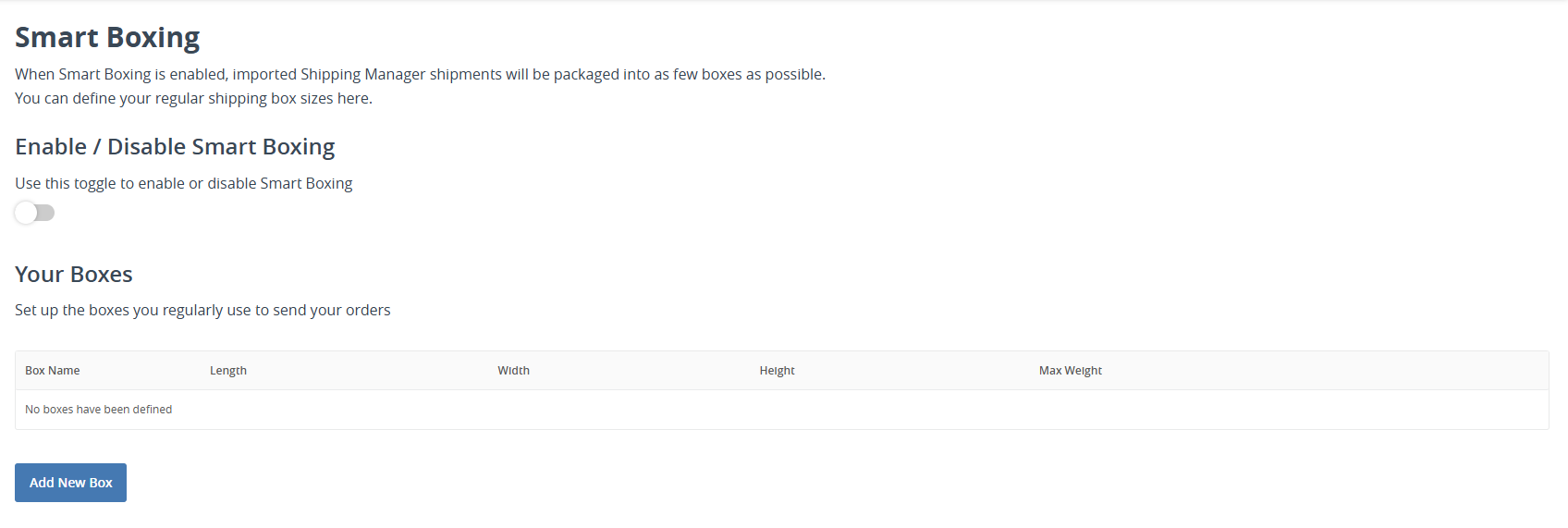
- Log in to your Interparcel account, go to Shipping Tools, and select Smart Boxing.
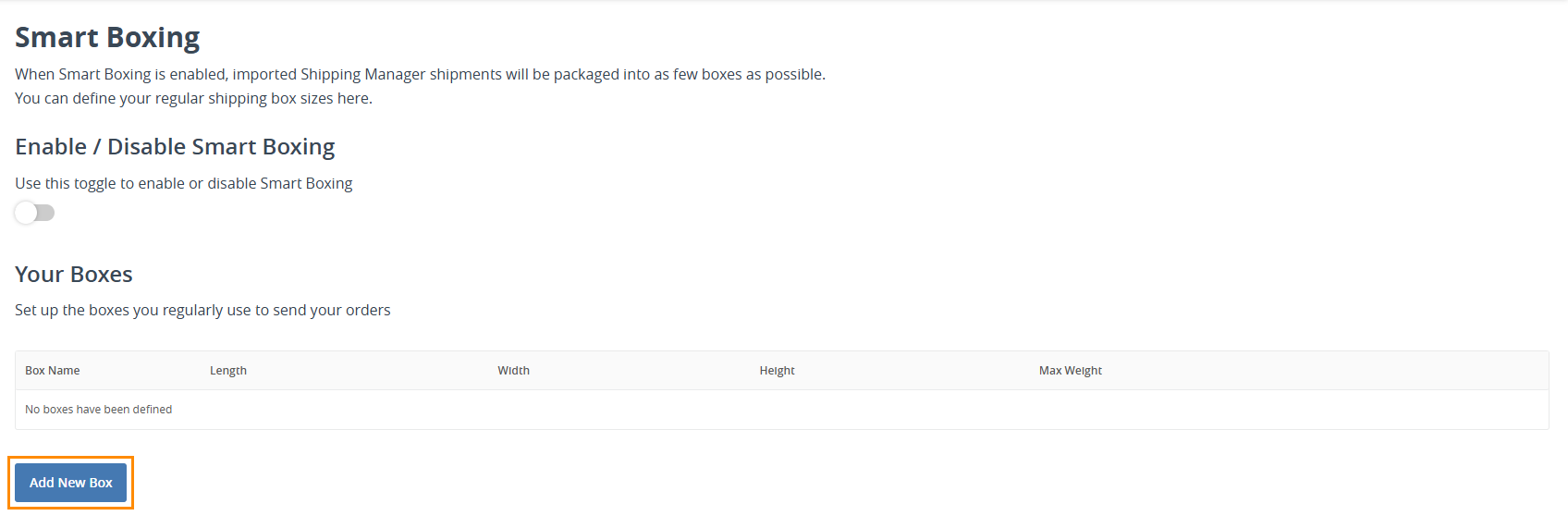
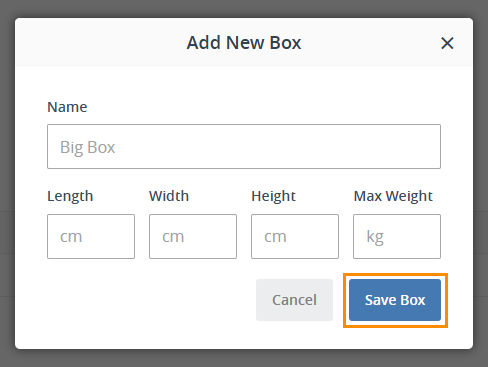
- On this page, you can add the different packaging options used by your business. Click the Add New Box button to enter details. Important: The maximum weight capacity of the box should be entered, not the physical weight of the box itself.
- Enter the packaging details and click Save Box.
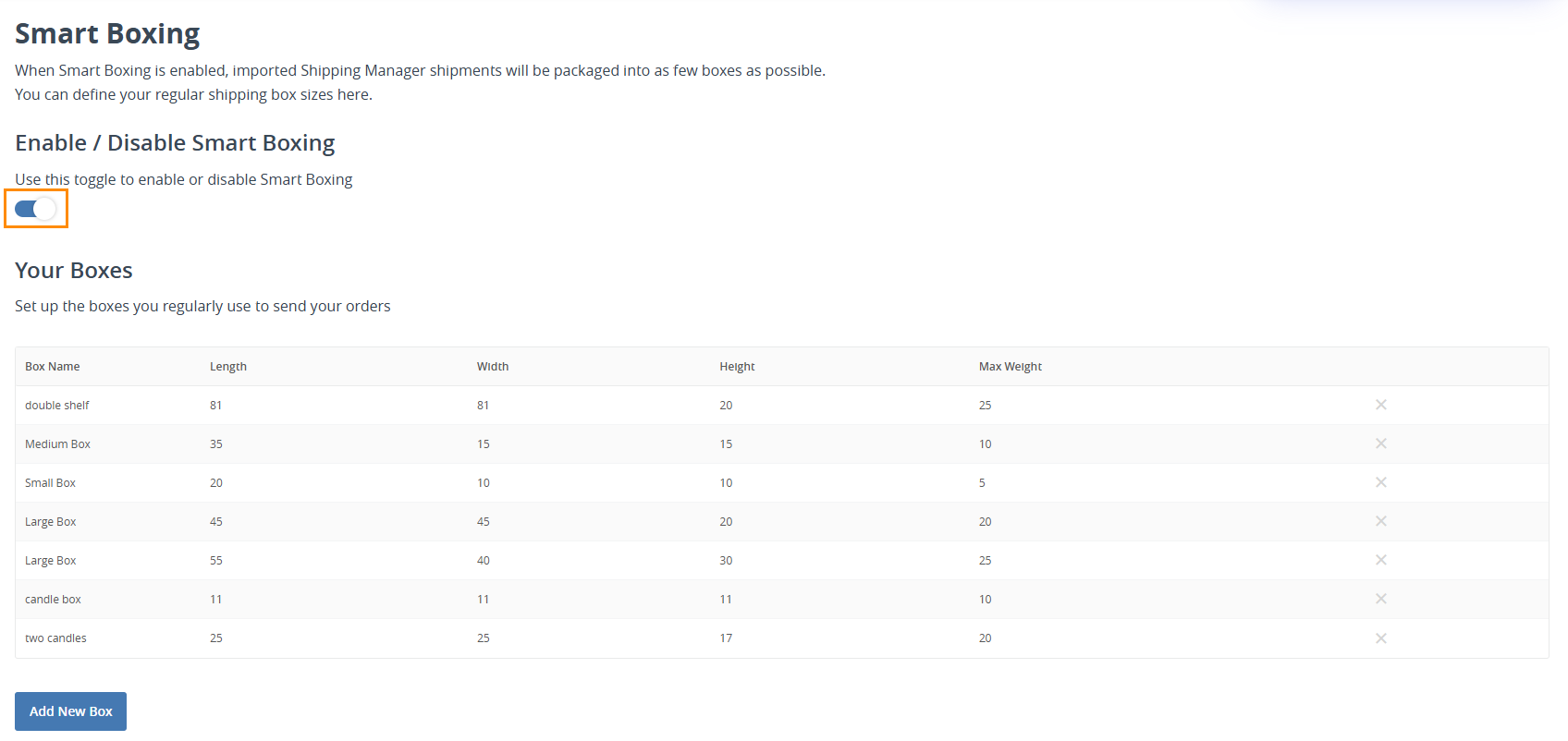
- Once all packaging options have been added, enable Smart Boxing by toggling the Enable Smart Boxing option. This will allow our platform to pack multi-item shipments using the most space-efficient packaging from your saved options.
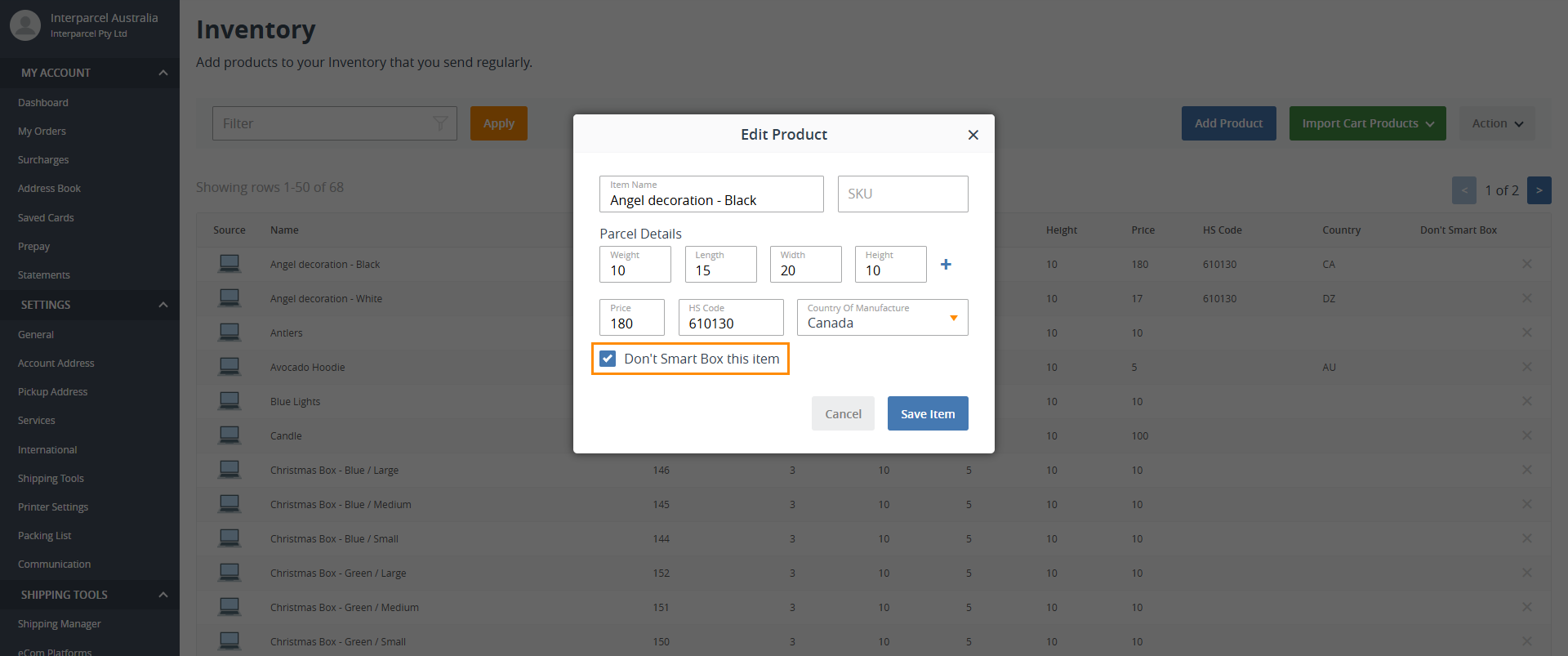
- To exclude a specific product from Smart Boxing, go to Inventory, select the item, and check the Don't Smart Box this item option. Click Save Item. This will ensure that each unit of this product is quoted separately.
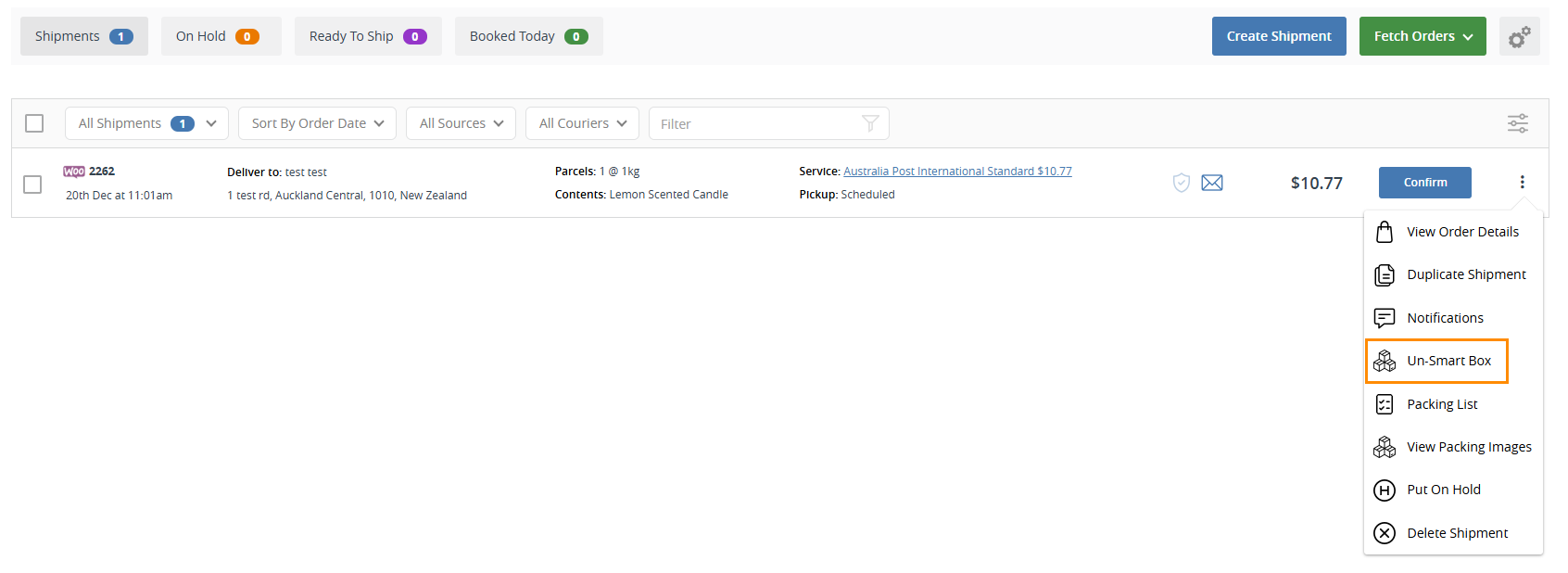
- To disable Smart Boxing for an imported order in the Shipping Manager, click the three dots next to the order and select Un-Smart Box. This will revert to quoting a separate parcel for each item in the order.
Smart Boxing FAQs
How can I use Smart Boxing for satchels or jiffy bags?
Some users optimize Smart Boxing by listing the same satchel multiple times with varying heights to accommodate different packing needs. They first pack the satchel to its full capacity to determine the maximum height and then create packaging options with height reductions in 5cm increments. For example, for an Australia Post medium satchel:
- Package 1: 39cm x 27cm x 5cm, max weight 5kg (small orders).
- Package 2: 39cm x 27cm x 10cm, max weight 5kg (a few items).
- Package 3: 39cm x 27cm x 15cm, max weight 5kg (multiple items).
- Package 4: 39cm x 27cm x 20cm, max weight 7kg (larger orders).
- Package 5: 39cm x 27cm x 25cm, max weight 7kg (fully packed).
How does Smart Boxing help lower shipping costs?
By selecting the most appropriately sized packaging, Smart Boxing minimizes dimensional weight charges and reduces the need for additional parcels, ensuring you only pay for the space required.
Can Smart Boxing help reduce waste?
Yes! Smart Boxing optimizes the use of packaging materials by selecting the best-fit box, minimizing unnecessary void fillers and excess packaging.
Does Smart Boxing work for all order sizes?
Yes, whether you’re shipping a single item or a multi-item order, Smart Boxing automatically determines the most efficient packaging option.
Is there an extra cost for using Smart Boxing?
No! Smart Boxing is included for free with your Interparcel account. You only pay for the shipments you process.